
Event-Based SWIR Cameras: Frame Imaging vs Event Detection
Mercury SWIFT supports high-speed SWIR frame imaging and a separate event-detection function. This article explains the differences between the two acquisition methods, their published specifications, and the requirements to consider when selecting a camera.
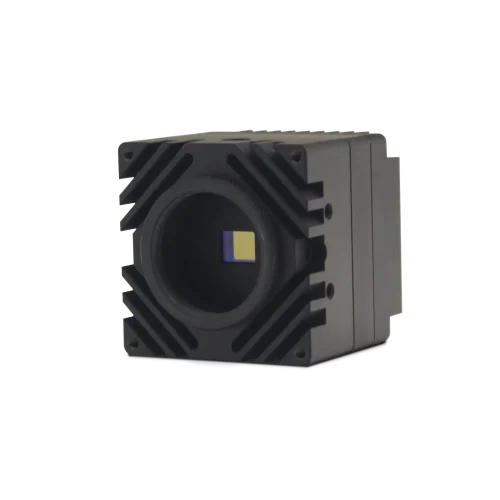
Selecting an acquisition mode
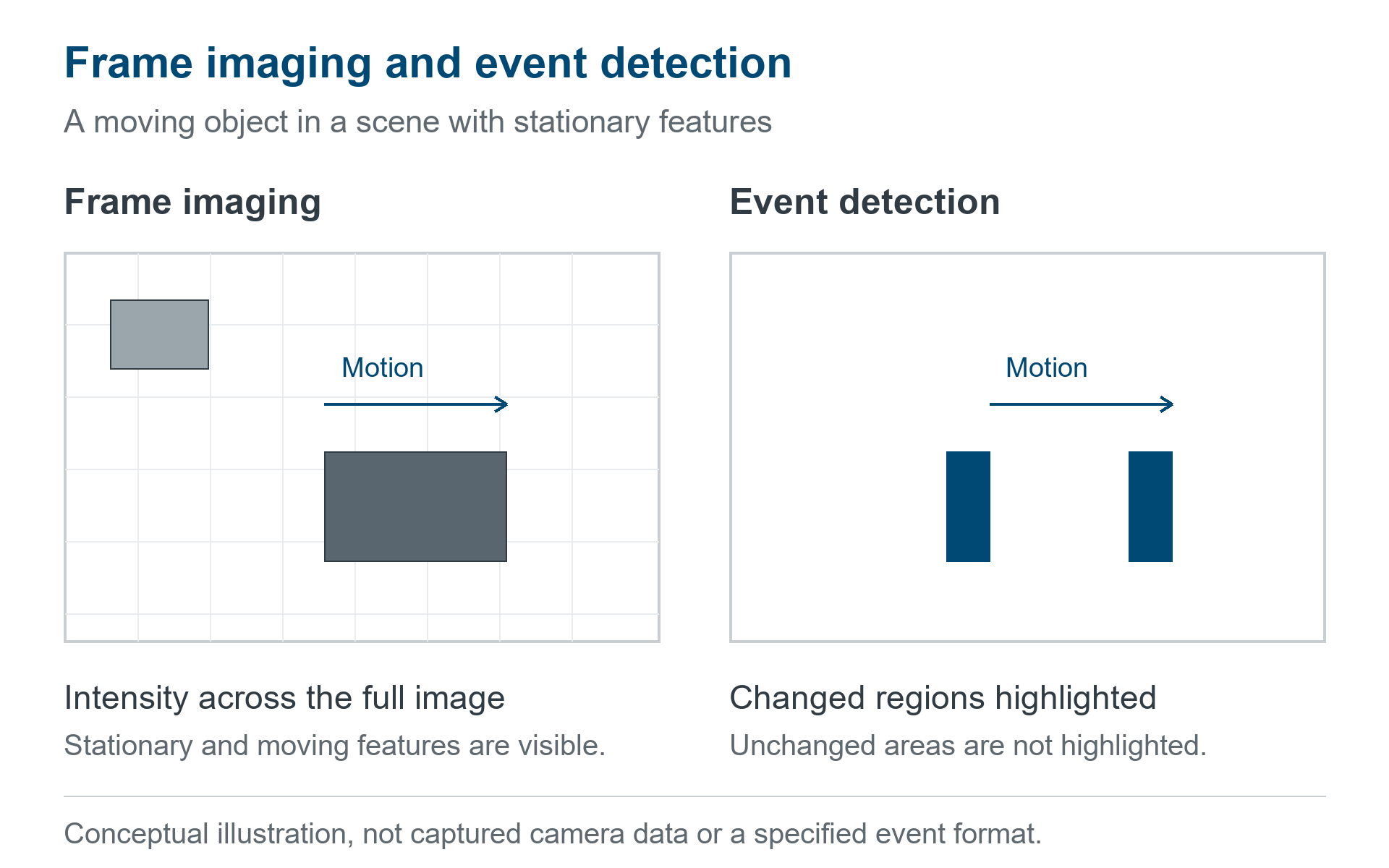
An event-based SWIR camera raises a useful question: does your application need a complete image at regular intervals, or information about changes in a scene? Those are different data requirements. A high frame rate describes how often image frames are acquired; an event specification describes a separate detection function. Treating the two as interchangeable can lead to the wrong camera, bandwidth estimate or processing pipeline.
KAYA Mercury SWIFT combines a global-shutter InGaAs imaging sensor with event-detection functionality. This guide explains the distinction and the practical decisions behind it. For a broader introduction to application areas, see KAYA’s high-speed SWIR camera overview.
Selection rule: use frame imaging when the algorithm needs spatial intensity information across the image. Evaluate event detection when changes themselves are the signal of interest. Confirm the actual camera data format and software support before designing around either mode.
Frame-based SWIR imaging
A conventional image frame records spatial intensity values over an exposure interval. That makes it a natural starting point for inspecting part geometry, comparing regions, measuring contrast or feeding an existing image-processing pipeline. In a moving process, repeated frames also let you follow how an object changes position over time.
SWIR adds a spectral dimension to this selection problem: the illumination, material and optics determine whether the feature produces useful contrast in the camera’s response band. A monochrome SWIR image is not automatically a chemical map, a hyperspectral measurement or a calibrated temperature image. Establish the contrast on representative samples before choosing the final acquisition settings.
A global shutter exposes the image array together, avoiding the row-by-row timing skew associated with rolling shutters. It does not remove motion blur during an exposure. A fast-moving part can still blur if the integration time is too long, even when the camera captures many frames per second.
Event detection and camera integration
Event-based sensing responds to variations in a scene rather than treating every output as a conventional intensity image. It can be useful when the timing or location of changes matters more than a complete image at each step. The event representation, thresholds and timing behavior are implementation-specific; an algorithm written for one event camera cannot be assumed to work with another.
SCD’s description of the SWIFT-EI sensor architecture distinguishes its event channel from its conventional fast imaging channel. That sensor-level architecture does not, by itself, establish which combinations, transport formats or software interfaces are available in a particular camera configuration.
For Mercury SWIFT, evaluate the camera’s published event-detection specifications separately from its frame-imaging specifications. Ask KAYA how event data is exposed in the intended firmware and acquisition software, how it is synchronized with image frames, and whether the required modes can be used together. Do not infer asynchronous pixel timestamps, compatibility with a third-party event SDK, or lower total data traffic from the phrase “event-based” alone.
Mercury SWIFT acquisition specifications
| Function | Published specification | What it means for selection |
|---|---|---|
| Frame imaging | 640 × 512 pixels; global shutter | A complete spatial image for a conventional frame-processing workflow. |
| High-speed frame mode | Up to 1,600 fps at 11-bit output | Check the exposure, link configuration and host throughput required for the selected rate. |
| Higher output bit depth | Up to 800 fps at 13-bit output | Choose based on the signal and required intensity discrimination; output bit depth alone is not measured dynamic range. |
| Event detection | 320 × 256; 2 bits per event; maximum event rate listed as 50 Keps | A separate specification, not a claim of 50,000 full-resolution image frames per second. |
| Camera transport | CoaXPress v2.1; one Micro-BNC link | Confirm link rate, pixel format, frame grabber and software support for the intended configuration. |
Source: the current Mercury SWIFT specification table. Maximum frame rates are mode-dependent. Confirm event-rate interpretation and available operating combinations with KAYA for your configuration.
Frame interval and exposure time
The interval between frames sets the temporal sampling of a sequence. Exposure time determines how long light is integrated within each frame. At 1,600 fps, the nominal interval between frame starts is 625 microseconds; at 800 fps, it is 1,250 microseconds. Neither value says that the camera must expose for that entire interval.
Frame interval = 1 ÷ frame rate
1 ÷ 1,600 s = 0.000625 s = 625 µs.
1 ÷ 800 s = 0.00125 s = 1,250 µs.
These are timing calculations, not measured latency or a guarantee that every exposure setting is supported at maximum rate. For moving targets, calculate allowable exposure from object speed, object-space pixel size and acceptable blur. Then test whether the illumination delivers adequate signal in that time. Our CoaXPress SWIR conveyor integration guide works through an example.
Camera selection requirements
Camera selection begins with the information the inspection or measurement must provide. Appearance, geometry and intensity measurements require spatial image data, while applications concerned with changes in a scene may benefit from event detection. The required feature size, object speed and event duration determine the resolution, sampling rate and exposure time to evaluate. SWIR contrast must be established using representative samples with the intended illumination, lens and filters. Integration also depends on how the camera delivers data to the host, including pixel packing, event encoding, triggering, synchronization and supported software. The final choice should therefore be based on the performance of the complete acquisition, processing and storage chain under representative operating conditions.
Frequently asked questions
What is Mercury SWIFT’s maximum frame rate?
Mercury SWIFT captures up to 1,600 frames per second at 11-bit output or 800 frames per second at 13-bit output, depending on the selected operating mode.
Does global shutter guarantee sharp images of moving parts?
It avoids rolling-shutter timing skew, but the object still moves during exposure. Short enough exposure, sufficient illumination, suitable optics and accurate focus remain necessary.
Can I use an existing event-camera software library?
Confirm the supported transport and event format with KAYA first. A sensor’s event capability does not establish compatibility with a particular third-party event library.
Does a SWIR camera measure temperature?
SWIR intensity imaging is not the same as calibrated thermography. A temperature-measurement system needs appropriate spectral, radiometric and calibration support; do not infer that capability from the SWIR label.
Sources and further reading
- Mercury SWIFT product specifications and documentation
- Mercury CoaXPress documentation library
- SCD: SWIFT-EI sensor architecture
Technical specifications checked against KAYA’s product page on 20 October 2026. Configuration-specific operation should be confirmed with KAYA.
Mercury SWIFT application support
For camera specifications and configuration options, see the Mercury SWIFT product page. For assistance with acquisition modes, optics or system integration, contact KAYA Vision.