
CoaXPress SWIR Cameras for Conveyor Inspection: An Integration Guide
Integrating a CoaXPress SWIR camera into a conveyor inspection system requires coordinated choices in illumination, optics, exposure, triggering and data acquisition. This guide uses Mercury SWIFT specifications and a worked example to explain these decisions.
System requirements
A conveyor inspection system succeeds when the feature is visible, sampled at the right scale, captured at the right time and processed before the decision is needed. Selecting a CoaXPress SWIR camera is therefore an integration exercise: illumination, optics, triggering, transport and software all contribute to the result.
Mercury SWIFT provides compact, global-shutter SWIR frame imaging and a single-link CoaXPress interface. This guide uses its documented frame modes to illustrate system sizing. The worked example is a design calculation, not a validated installation or a claim of a particular defect-detection rate.
Design sequence: prove SWIR contrast → define object-space resolution → limit exposure blur → set acquisition timing → size the frame grabber and host → validate on representative parts.
1. Illumination and SWIR contrast
Start with actual good and defective samples. Measure whether the target feature produces useful contrast with the proposed wavelength, illumination geometry and viewing angle. A material may look different in SWIR, but that does not guarantee reliable separation for every coating, thickness, contamination level or background.
Test reflection and transmission configurations where appropriate to the sample. Control stray light and reflections from the belt, mounts and enclosure. Record the illumination, lens, filter, exposure and gain used in each trial so that a successful bench test can be reproduced on the line.
A broadband monochrome SWIR camera is not a hyperspectral instrument. If the decision requires distinguishing narrow absorption features, consider the illumination and filtering strategy and whether multiple spectral measurements are needed. Establish that requirement before selecting hardware. KAYA’s industrial SWIR overview provides broader application context.
2. Optics and object-space resolution
Object-space pixel size follows from the field of view and the number of pixels across it. Use the active image dimensions of the selected mode, and allow for alignment, lens distortion and the useful region at the image edges. The smallest defect must occupy enough pixels for the chosen algorithm; one-pixel visibility is not a reliable inspection criterion.
For Mercury SWIFT’s frame imaging, choose optics that cover the sensor and provide adequate transmission and image quality at the intended SWIR wavelengths. A mechanical C-mount fit does not establish SWIR performance. Confirm working distance, depth of field, aperture and focus stability with the lens supplier and with sample images.
Object-space pixel size = field of view ÷ image width
Example assumption: a 128 mm-wide field of view across 640 pixels.
128 ÷ 640 = 0.20 mm per pixel.
3. Exposure time and conveyor motion
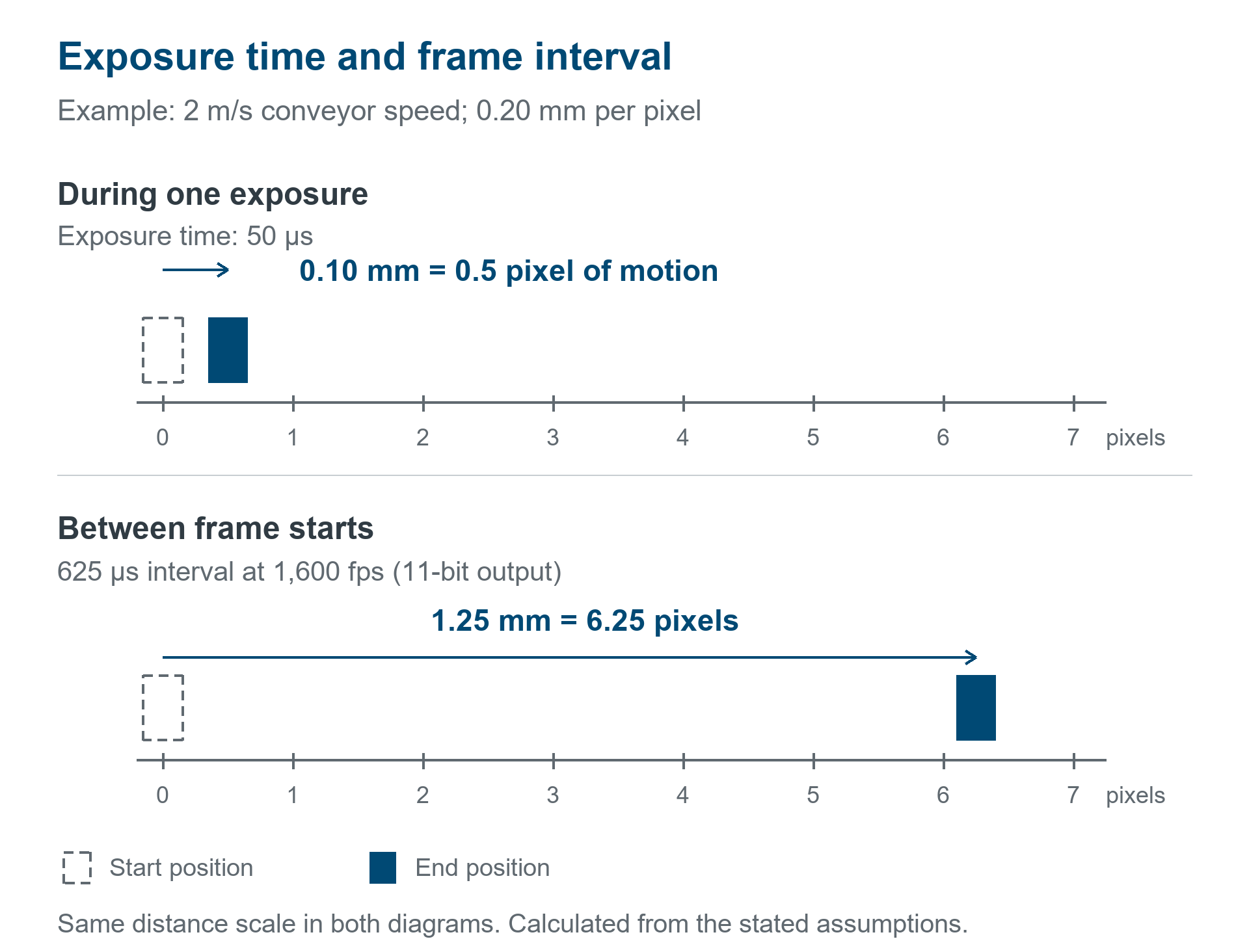
A global shutter avoids row-by-row timing skew, but motion during exposure still creates blur. First specify the allowable blur in pixels. Convert it to object distance using the object-space pixel size, then divide by belt speed.
Maximum exposure = allowable blur × object-space pixel size ÷ object speed
Example assumptions: 0.5-pixel blur limit; 0.20 mm per pixel; belt speed 2 m/s, or 2,000 mm/s.
(0.5 × 0.20) ÷ 2,000 = 0.00005 s = 50 µs.
This is an exposure target for the assumed geometry. It is not proof that the feature will have adequate signal-to-noise ratio at 50 µs. Test the light level, aperture, gain and target contrast at that exposure. Use the result to decide whether to change illumination, magnification, belt speed or the measurement approach.
4. Frame rate and inspection coverage
The frame rate determines how far a part moves between images. It does not determine how far it moves within each exposure. At 2,000 mm/s and 1,600 fps, movement between frame starts is 1.25 mm. With the example’s 0.20 mm per pixel, that corresponds to 6.25 pixels between frames—even though a 50 µs exposure limits within-frame movement to 0.5 pixel.
| Frame mode | Frame interval | Object travel between frames |
|---|---|---|
| 1,600 fps at 11-bit output | 625 µs | 1.25 mm |
| 800 fps at 13-bit output | 1,250 µs | 2.50 mm |
Check that the field of view, part spacing and capture timing give the required coverage. Full-frame area imaging captures a two-dimensional region; do not confuse frame-to-frame travel with the spatial resolution inside each image. For a continuous web, a line-scan architecture may warrant a separate comparison rather than assuming a faster area-scan camera solves every coverage problem.
Where object position controls acquisition, define the trigger source, delay, exposure timing and downstream decision window. Mercury SWIFT lists continuous and triggered acquisition plus external I/O and protocol synchronization. Confirm the supported trigger behavior and achievable rate for the complete configuration.
5. CoaXPress bandwidth and host throughput
Mercury SWIFT uses CoaXPress v2.1 through one Micro-BNC link and lists CXP-12, CXP-6 and CXP-3 interface rates. Select the frame grabber, cable and operating link rate together. A physical connection alone does not establish that the desired frame mode can run at every listed interface rate.
Calculate a lower-bound image-data rate from width × height × output bits × frames per second. For 640 × 512 at 11 bits and 1,600 fps, the packed pixel payload is approximately 5.77 Gbit/s before transport overhead. At 13 bits and 800 fps, it is approximately 3.41 Gbit/s. These calculations do not describe the actual wire packing or sustained usable bandwidth of a particular link.
Host memory requirements can be larger. If an acquisition pipeline stores each 11-bit pixel in a 16-bit container, the first mode produces approximately 1.05 GB/s of image data in memory, before additional copies, processing or recording. Verify the actual pixel format, packing and buffering behavior with the selected frame grabber and software.
Include the frame grabber’s PCIe connection, host memory bandwidth, processing time and storage path in the throughput test. Use frame counters and acquisition diagnostics to look for dropped images during sustained operation. For product selection, see KAYA’s frame grabbers and confirm compatibility for your selected mode.
6. Power, mounting and operating conditions
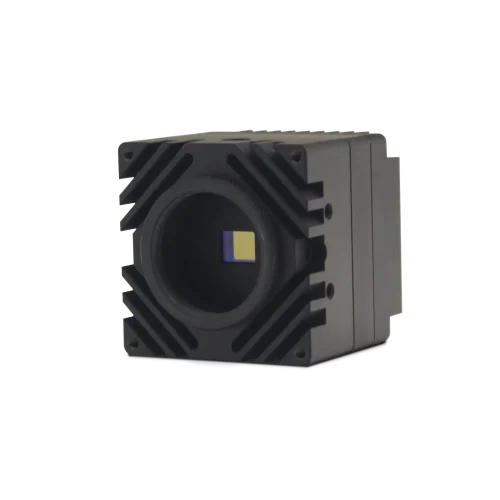
Mercury SWIFT’s published outline is 44 × 44 × 53 mm including the lens mount; its mass is 100 g without a lens. Reserve additional space for the optics, connector access, cable bend radius and mounting hardware. Check whether the chosen enclosure leaves the required thermal path and airflow.
The camera lists PoCXP or external power and power consumption below 4 W at 24 V DC. Confirm the complete power arrangement, including the frame grabber’s PoCXP support where used. Industrial temperature limits have stated airflow conditions, and IP67 is an optional configuration with a protective lens tube. Select the actual grade and enclosure for the environment rather than assuming the bare camera has every optional rating.
7. System validation
System validation establishes whether the complete inspection setup maintains reliable results across the expected range of parts, belt speeds and operating conditions. Representative good, defective and borderline samples should be used to assess optical contrast, exposure blur, trigger timing, coverage, and false accepts and false rejects. Sustained acquisition tests should check frame counters, buffering, processing and recording for lost data or missed decision deadlines. Evaluation over the intended operating cycle should also account for lighting drift, temperature, contamination and mechanical movement. Recovery behavior must be defined for interruptions to triggering, illumination, transport or processing so that a failure does not produce an undetected inspection gap. Systems that also use event data require separate validation of that data path, as discussed in the frame imaging versus event detection guide.
Frequently asked questions
What exposure is suitable for conveyor inspection?
It depends on speed, magnification and allowable blur. Calculate the motion limit first, then verify that the illumination and optics deliver sufficient signal within it. The 50 µs example above applies only to its stated assumptions.
Is CoaXPress link speed the same as usable image bandwidth?
No. Account for transport overhead, the negotiated rate and pixel packing. Then check the frame grabber and host path under sustained load.
Can Mercury SWIFT run at 1,600 fps at every bit depth?
The published maximum is 1,600 fps at 11-bit output and 800 fps at 13-bit output. Confirm additional conditions for your acquisition setup.
Can any C-mount lens be used for SWIR inspection?
Mechanical fit is only one requirement. Confirm spectral transmission, sensor coverage, resolution, focus and working distance at the intended SWIR wavelengths.
Sources and further reading
Technical specifications checked against KAYA’s product page on 20 October 2026. Configuration-specific operation should be confirmed with KAYA.
Mercury SWIFT application support
For camera specifications and configuration options, see the Mercury SWIFT product page. For assistance with acquisition modes, optics or system integration, contact KAYA Vision.